


Microsoft Copilot has just received a major upgrade — and the timing couldn’t be better. At its 50th anniversary event on April 4, 2025, Microsoft announced some exciting improvements to Microsoft Copilot which includes a fresh wave of AI-powered features that make Copilot more intuitive, useful, and embedded across your workday.
Table of Contents
How the Improvements to Microsoft Copilot Changed a Professional Services Company
At Summit Solutions, a professional services company specializing in consulting and project management, Copilot revolutionized their workflow. Before adopting Copilot, employees spent countless hours drafting proposals, analyzing data, and responding to client queries. With Copilot integrated into their systems, the team experienced a dramatic boost in productivity.
Copilot automated repetitive tasks like generating reports and summarizing meeting notes. It also provided valuable insights during brainstorming sessions, offering creative solutions that impressed clients. The AI assistant streamlined communication by drafting emails and presentations tailored to each client’s needs.
By freeing up time for high-value activities, Copilot allowed consultants to focus on strategic planning and relationship building. Within months, Summit Solutions reported a 32% increase in efficiency, transforming their operations and client satisfaction.
Deeper Integration Improvements to Microsoft Copilot Across Microsoft 365 Apps
Copilot now works more seamlessly across Microsoft 365 Cloud Apps like Word, Excel, PowerPoint, Outlook, and Teams. It can:
- Summarize long email threads in Outlook
- Generate tables and charts in Excel from plain-English prompts
- Create PowerPoint decks from Word documents or meeting notes
- Rewrite and optimize text in Word with tone control
Smarter Natural Language Understanding
Copilot now understands more complex and conversational input, so you can type things like:
“Summarize this email chain and highlight urgent items.”
Or:
“Find our last meeting about Q2 planning and generate action items.”
The results are faster, more accurate, and feel less like a bot — more like a true assistant.
Context Awareness in Teams Meetings
Copilot now acts as your real-time meeting assistant:
- Provides live meeting summaries
- Captures decisions and action items
- Suggests follow-ups in Planner
- Pulls context from shared documents, chats, and calendar invites
Enterprise-Grade Security and Compliance
Copilot follows Microsoft’s strict enterprise-grade data protection:
- Data never leaves your Microsoft 365 tenant
- No content is used to train Copilot
- Integrated with Microsoft Purview for compliance and information governance
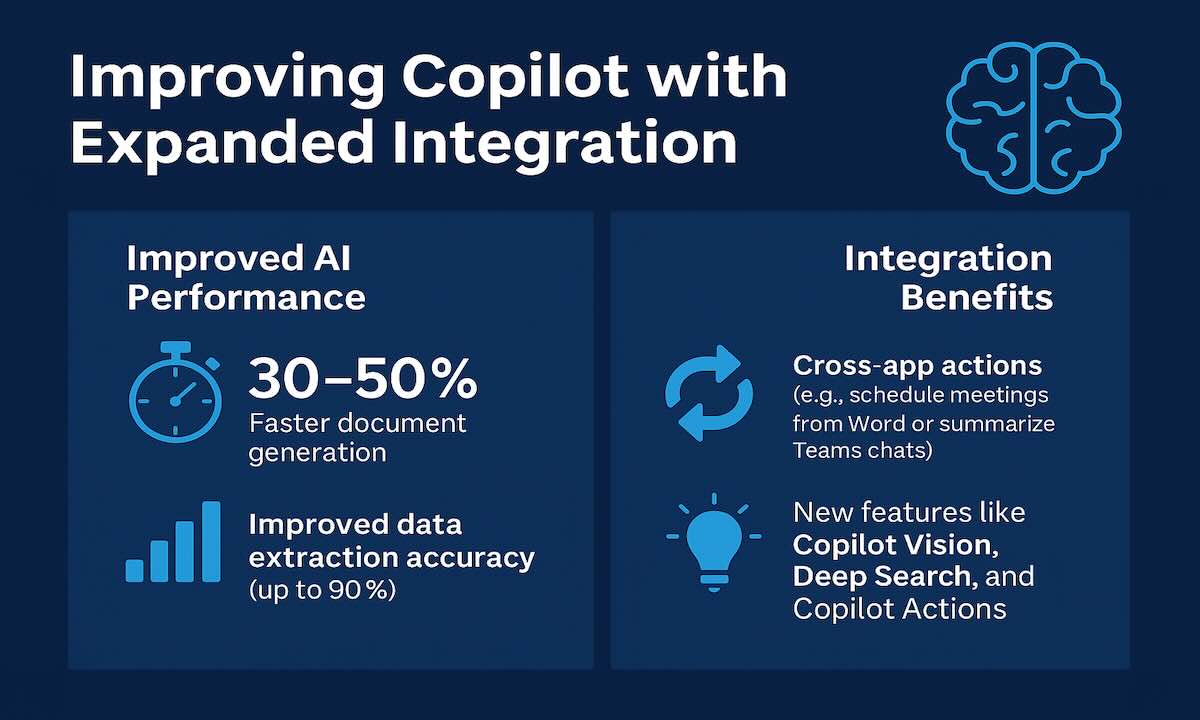
New Feature Improvements to Microsoft Copilot – Announced April 4, 2025
At Microsoft’s 50th anniversary event, four powerful new capabilities were unveiled:
Copilot Vision
Copilot can now “see” what’s on your screen. It can analyze open documents, images, and interfaces to provide contextual assistance.
Deep Search
Supercharges your search in Microsoft 365 by understanding intent — not just keywords. It looks into document contents and context to surface what matters most.
Copilot Actions
Let Copilot take real actions across apps. It can schedule meetings, send follow-up emails, create lists in Microsoft To Do — all based on your prompt.
Memories (coming soon)
Copilot will remember past interactions, preferences, and workflows — allowing it to personalize its responses and proactively assist.
Copilot Lab and Custom Prompts
The new Copilot Lab gives users a library of sample prompts and lets teams create shared prompt templates. Admins can also customize how Copilot behaves for different departments or roles.
Final Thoughts
Microsoft Copilot is evolving fast, and these latest improvements make it one of the most powerful productivity AI tools on the market. With enhanced natural language processing, better integrations, and new capabilities like Copilot Vision and Deep Search, it’s changing how professionals work, collaborate, and make decisions.
For the latest updates on Microsoft 365 Copilot’s new features announced in April 2025, you can visit the “What’s New in Copilot | April 2025“ page.
Have you tried the new Copilot yet?
Schedule a call so we can show you.